Take Full Control of Your Daily Sales Report Status
Filter, verify, and manage DSR status at the consignment level: one record at a time from the report screen, or hundreds at once through CSV import.
- Filter reports by booking dates and customer
- Activate or deactivate DSR at the consignment level
- Bulk activate/deactivate via CSV import
- Validation feedback before every import
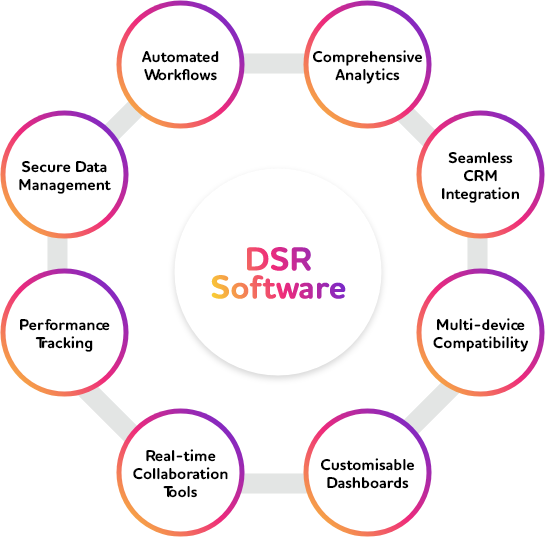
DSR Status Management in the Courier Industry
Keeping Daily Sales Report status accurate and current is essential to clean financial reporting and reliable consignment records.
- Filter reports by booking date range and customer to quickly locate the records you need to manage
- Activate or deactivate DSR status at the consignment level directly from the report screen
- Update hundreds of consignments in one pass with a validated CSV import
- Catch errors before they happen with built-in CSV validation showing success and failure counts
Two Ways to Manage DSR Status
Handle a single consignment or an entire batch, with the same accuracy and control.
Advanced Filtering
Narrow down the Daily Sales Report by booking date range and customer, with additional filters like origin, destination, carrier, and service type.
Screen-Level Activation
Select a consignment, click Active DSR or De-Active DSR, and confirm. Status updates instantly at the consignment level.
Bulk CSV Import
Download a sample CSV, fill in consignment number, year, and DSR verified status, then import to update many records in one go.
Built-In CSV Validation
Every import is validated first, showing a clear success and failure record count before anything is applied.
From Filter to Confirmed Status
A guided path from finding the right records to a confirmed, verified DSR status.
Filter Records
Select booking dates and customer, with optional filters, to pull up exactly the consignments you need.
Choose Your Method
Update a single consignment on-screen, or prepare a CSV file for a bulk update.
Validate
CSV imports are checked automatically, flagging any failed records before they're applied.
Confirm & Verify
Confirm the change and the DSR Verified status updates instantly at the consignment level.
What You Get at Enterprise Scale
DSR status updates instantly at the consignment level, no separate refresh or reprocessing step needed.
Update hundreds of consignments in a single import instead of clicking through records one by one.
Every activation and deactivation is tracked at the individual consignment level for a clear audit trail.
See failed and successful record counts immediately after validating a CSV, before anything is imported.
Frequently Asked Questions
Can I activate or deactivate DSR status for a single consignment?expand_more
What if I need to update DSR status for hundreds of consignments at once?expand_more
What happens if some records in my CSV file are invalid?expand_more
Take Charge of Your DSR Status
See how Softpal handles single-record and bulk DSR activation, with every change logged for audit. Book a personalized demo.