Persistent Dropdown Memory
Dropdown selections persist across sessions, so consignee details survive a logout, a refresh, or a switch to another device.
Keep customer profiles, consignee address books, and repeat booking preferences in one system, with bulk import for bringing existing records across.
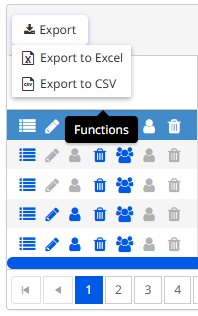
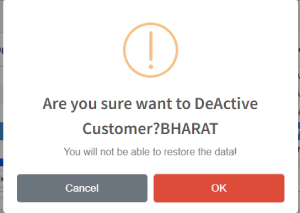
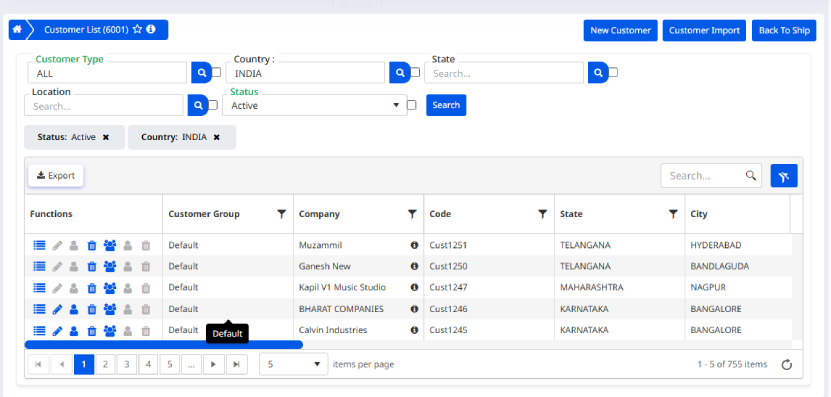

Enable the "Save Selection" checkbox and the system remembers your chosen consignee details across sessions: after logout, after a refresh, even on another device. Combined with the shipping address book, frequent customers become one-click repeat bookings.
Dropdown selections persist across sessions, so consignee details survive a logout, a refresh, or a switch to another device.
CSV templates keep customer data editing consistent. Addresses and contact details are validated during import, so bad records are caught before they reach the client dashboard.
Set up a recurring customer once. Saved consignee profiles and shipping preferences turn every later booking into a single click.
When one team member updates a profile, address, or preference, the change reaches everyone else immediately. No stale copies, no conflicting bookings.
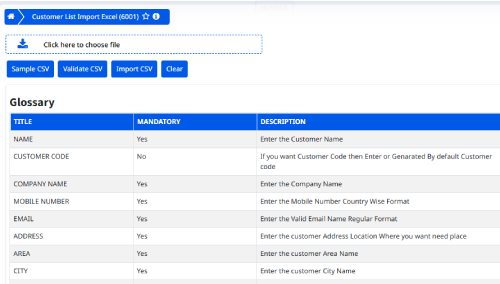
Moving hundreds of customer records? Bulk import via CSV loads them into the courier client database in one pass, validating addresses and contact information along the way so your client dashboard starts clean.
The screens below show profile management, persistent preferences, and the CSV import workflow.
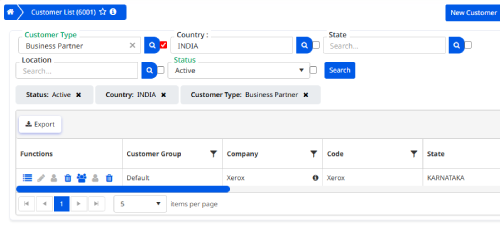
Customer profiles scale without limits, and inactive accounts can be switched off without deleting their history.
Saved profiles mean frequent customers are booked without re-entering their details.
Imported records are validated on the way in, keeping the customer database clean.
Profile changes reach every team member the moment they're saved.
Thousands of enterprises worldwide run customer management on Softpal. Bring your records, keep every booking detail attached to the right customer.